Tools of the Trade, pt.8: Software 2
All Tools of the Trade posts may be found, here. Each post features a “tool” that may be utilized by indexers in the course of indexing a book.
This post provides a very brief overview of the specific tools I turn to when creating an embedded index in Adobe InDesign, with some notes on other available options.
It is not meant to be an exhaustive listing of embedded indexing tools. Please comment below if you have anything to add or if you have questions about indexing in general.
Creating an Embedded Index: Three Methods
1.) Indexing with a standard dedicated indexing software (DIS) & using add-on tools for embedding
A previous Tools of the Trade post looked at using dedicated indexing software (I use Cindex) and its various functions do create and format a back-of-the-book index.
Importing an externally created index into the document to create an embedded index:
The method used for this process will depend on the file type of the book/document to be indexed. If it’s an InDesign file (.indd), there are scripts that may be used for the import, which are discussed below.
2.) Indexing with a DIS that is specifically for creating embedded indexes
Index-Manager is a DIS that exports the index entries into the manuscript. It supports Microsoft Word, Adobe InDesign, and XML file formats.
I have explored this option but found that with a combination of Cindex and IndexUtilities, discussed below, I did not need to switch indexing software to create embedded indexes.
3.) Indexing the book directly in the manuscript
Both Adobe InDesign and Microsoft Word have built-in tools for creating indexes, though from my experience, using them would only really make sense if a person just needed to create an index on rare occasions.
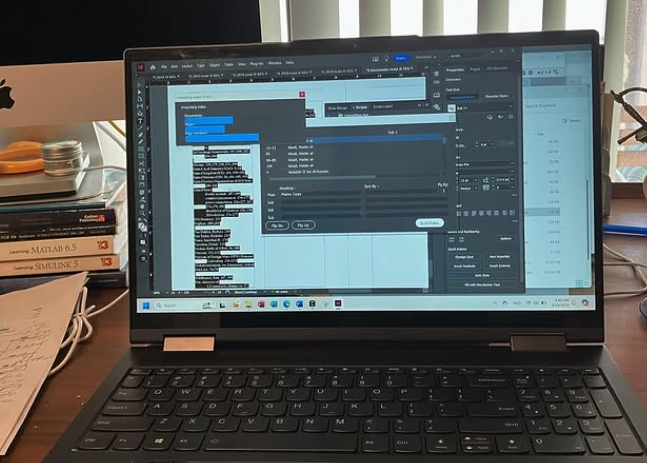
Scenes from running Kerntiff Publishing Systems’ IndexUtilities script.
Indexes in Adobe InDesign
— Creating an index directly in InDesign:
The InDesign online user manual is very helpful. For example, it will detail exactly how to Create an index in InDesign (adobe.com). YouTube tutorials are also available. (Additionally, ASI hosted a three-part webinar series, which is no longer available for purchase, on embedded indexing in InDesign.)
Nota Bene: cross references within the index (e.g., a ‘see’ reference from a non-preferred term to a preferred term) are not created using the separate tool for cross-references that is apart from the index tool. They are created within the indexing tool. Index cross references are not hyperlinked.
— Embedding an externally created index with Scripts:
How to install InDesign Scripts:
Step-by-step video and written instructions for how to install scripts
Two more videos on how to install InDesign scripts:
How to use a Script — IndexUtilities, by Kerntiff Publishing Systems:
A free IndexUtilities script, designed specifically for creating a linked and embedded index in InDesign from an externally created index. It is available for download via Kerntiff Publishing Systems.
The Manual is very helpful and was updated based on some questions I asked in 2023. Anything the Manual lacks, the customer service more than makes up for.
Indexer Lucie Haskins wrote a detailed article on the Kerntiff add-on software in 2013: IndexerDecember2013Haskins.pdf (luciehaskins.com)
Getting an index into InDesign
Once the IndexImporter script has started — Click the “Build Index” button — it cannot be stopped until it has completed the task. You can “build” the index an unlimited number of times to update any changes that need to be made.
Indexes in Microsoft Word
On creating an index in the manuscript itself:
Get help from Microsoft & from YouTube.
At ASI’s 2024 Annual Conference, I attended a Pre-Conference Workshop, “Embedded Indexing in Microsoft Word,” by Devon Thomas. There, we learned of the basic indexing functions included in Microsoft Word, such as marking entries, force sorting, and creating page ranges and cross-references, among other things.
DEXter — an add-on tool for indexing directly in MS Word.
TExtract — an indexing software where the Word file is dropped into the program to index directly into a copy of the Word file.
Tools for importing an embedded index into a Microsoft Word document:
DEXembed — indexers can use their preferred DIS (including SKY Index, CINDEX, MACREX, and Picardy) and then use this Microsoft add-on tool to embed the entries in the Word document.
The U.K.’s Society of Indexers has compiled a list of some available software programs and add-ons for embedding indexes in Word.
More Software Options
The American Society for Indexing has compiled a list of some available software programs and add-ons.
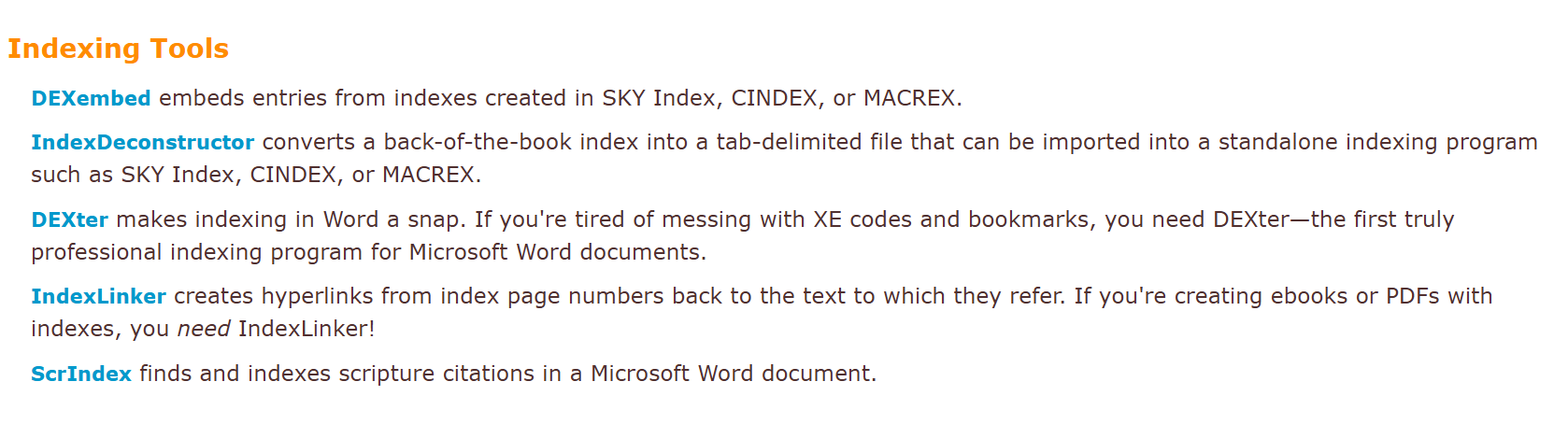
Indexing Tools from The Editorium (https://www.editorium.com)